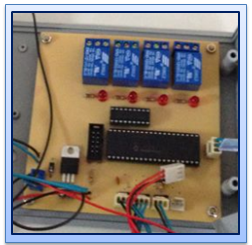
Sunday, 17 March 2013

Week 9: FYP 2: Light dependent resistor (LDR) sensor progress

Title of the project: Making and testing the light dependent resistor (LDR) sensor program
Objective: 1) To develop coding of light dependent resistor (LDR) sensor
           2) To ensure the coding can be run properly with the hardware

Content/Procedure:
1) Develop coding for light dependent resistor (LDR) sensor based on the flowchart
2) Testing the coding that can be link with the circuit or not

Result:-
Figure 1: Intensity flow


Analysis:-
The hardware development is suitable matches with the software; it proves when the hardware function, the temperature sensor will detect lighting in a greenhouse. The coding is develop to make sure the sensor will be detect intensity in the greenhouse. The control panel show the current measurement of intensity in a greenhouse. When the intensity  in a greenhouse is less than current measurement the lamp will be "on" to making the plants in a greenhouse be a good condition.
 
Conclusion:-
As a conclusion the result achieve what we expected, and the circuit is function when it matches with the software. The combination of the hardware and software is important to produce the output based on we need.

Sunday, 10 March 2013

Week 8: FYP 2: Temperature sensor progress

Title of the project: Making and testing the temperature sensor program
Objective: 1) To develop coding of temperature sensor
           2) To ensure the coding can be run properly with the hardware

Content/Procedure:
           1) Develop coding for temperature sensor based on the flowchart
           2) Testing the coding that can be link with the circuit or not

Result:-
Figure 1: Temperature flow


Analysis:-
The hardware development is suitable matches with the software; it proves when the hardware function, the temperature sensor will measure temperature in the greenhouse. The coding is develop to make sure the sensor will be read the temperature in the greenhouse. The control panel show the current measurement of temperature in a greenhouse. When the temperature  in a greenhouse is bigger than current measurement the cooling fan will be "on" to remove air and making the environment in a greenhouse become normal condition.
 
Conclusion:-
As a conclusion the result achieve what we expected, and the circuit is function when it matches with the software. The combination of the hardware and software is important to produce the output based on we need.


Sunday, 3 March 2013

Week 7: FYP 2: Humidity sensor progress

Title of the project: Making and testing the humidity sensor program
Objective: 1) To develop coding of humidity sensor
           2) To ensure the coding can be run properly with the hardware

Content/Procedure:
           1) Develop coding for humidity sensor based on the flowchart
           2) Testing the coding that can be link with the circuit or not

Result:-
Figure 1: Humidity flow


Analysis:-
The hardware development is suitable matches with the software; it proves when the hardware function, the humidity sensor will measure relative humidity in the greenhouse. The coding is develop to make sure the sensor will be read the relative humidity in the greenhouse. The control panel show the current measurement of relative humidity in a greenhouse. When the relative humidity in a greenhouse is bigger than current measurement the cooling fan will be "on" to absorb air and making the environment in a greenhouse become normal condition.
 
Conclusion:-
As a conclusion the result achieve what we expected, and the circuit is function when it matches with the software. The combination of the hardware and software is important to produce the output based on we need.


Sunday, 24 February 2013

Week 6: FYP 2: Test or troubleshoot the interfacing circuit

Title of the activity: Test or troubleshoot the interfacing circuit between PIC circuit with Output circuit
Objective: 1) To know the circuit function properly
           2) To troubleshoot when the circuit have a problem

Content/Procedure:
• Burn the program into PIC circuit
• Check the program related or not with PIC circuit
• Interface the PIC circuit with output circuit
• Check again and ensure the overall circuit working as expected and is same with simulate in Altium Designer

Analysis:-
For this project, at the PIC circuit I burn the program as directly and not use other out interface component because in software MPlab IDE have a PICkit2 software and just connected the wire from computer to PIC circuit but make sure at the PIC circuit have a pin IDC10 connector with PIC and it one of component from In Circuit Serial Programing ( ICSP ).

Conclusion:-
Circuit is working properly and knows how to burn the program into PIC, troubleshoot circuit also interfacing PIC circuit with output circuit have done. So, in this task the objective is achieved.

Sunday, 17 February 2013

Week 5: FYP 2: Study of programming in C

Title of the project: Study programming of PIC microcontroller
Objective: To ensure the PIC microcontroller is operate
Content/Procedure: Study on input (i/p) and output (o/p) pin


Result:-
Figure 1: PIC pin configuration
Analysis:-
MPLAB sofware has been select to make the PIC microcontroller program coding for my project.  From the simulation program wrote an ASM language and compile with the MPLAB to running the program in PIC 16F877A.


Conclusion:
As a conclusion,the program that build from the MPLAB sucesfully match for the simulation on the circuit. The declaration on the port at PIC is easy to make a command after define the suitable port for input and output.

Sunday, 3 February 2013

Week 4: FYP 2: Design circuit

Title : Design circuit for project
Objective : To build the circuit of this project.
Procedure/Content : 1) Design circuit by using software
                    2) Print the design on the transparent paper
                    3) Stick the design with the PCB board
                    4) Drill and solder all the component
                    5) Test running the circuit with the program

Result:-
Figure 1: PCB board

Figure 2: Aching process

Figure 3: Soldering complete circuit
Figure 4: Complete circuit
Analysis:-
The hardware circuit is design by using PCB board. To complete this design, we need to follow the step above. The first one, we need to aching the PCB board and then solder the circuit to make sure each line will be connected with each other line.

Conclusion: -
For the conclusion after we design the circuit diagram in the program software, we try on the PCB board to construct the circuit follow in the software. The software help a lot on the design of circuit, follow the PIC pin configuration and the port that we decide construct on the PCB board.


Sunday, 27 January 2013

Week 3: FYP 2: Select software programming

Tittle of project: Find and understand about software
Objective: To find and understand about software for this project
Content: Ensure that software used is suitable for this project

Figure 1: Altium Designer & MPLAB
Analysis:-
In this project, two types of software is used which is Altium Designer and MPLAB IDE. The languange that used for this project is c languange. Altium Designer is used to design circuit for hardware while MPLAB is used to create a program.

Conclusion:-
As the conclusion, I got a lot of knowledge how to used this software. I also learn about how this software can be link with the hardware.